Part 4 of 8 · Mon 19 Oct 2026 · 3 min read
Plans are made in AI chat, then retyped
Everyone in our survey plans work with AI chat. Only one person's plan reaches their task board without retyping. Here's the gap, and why it matters.
A year ago, planning a piece of work meant a whiteboard, a doc or a meeting. Now, for a lot of people, it means a conversation with an AI.
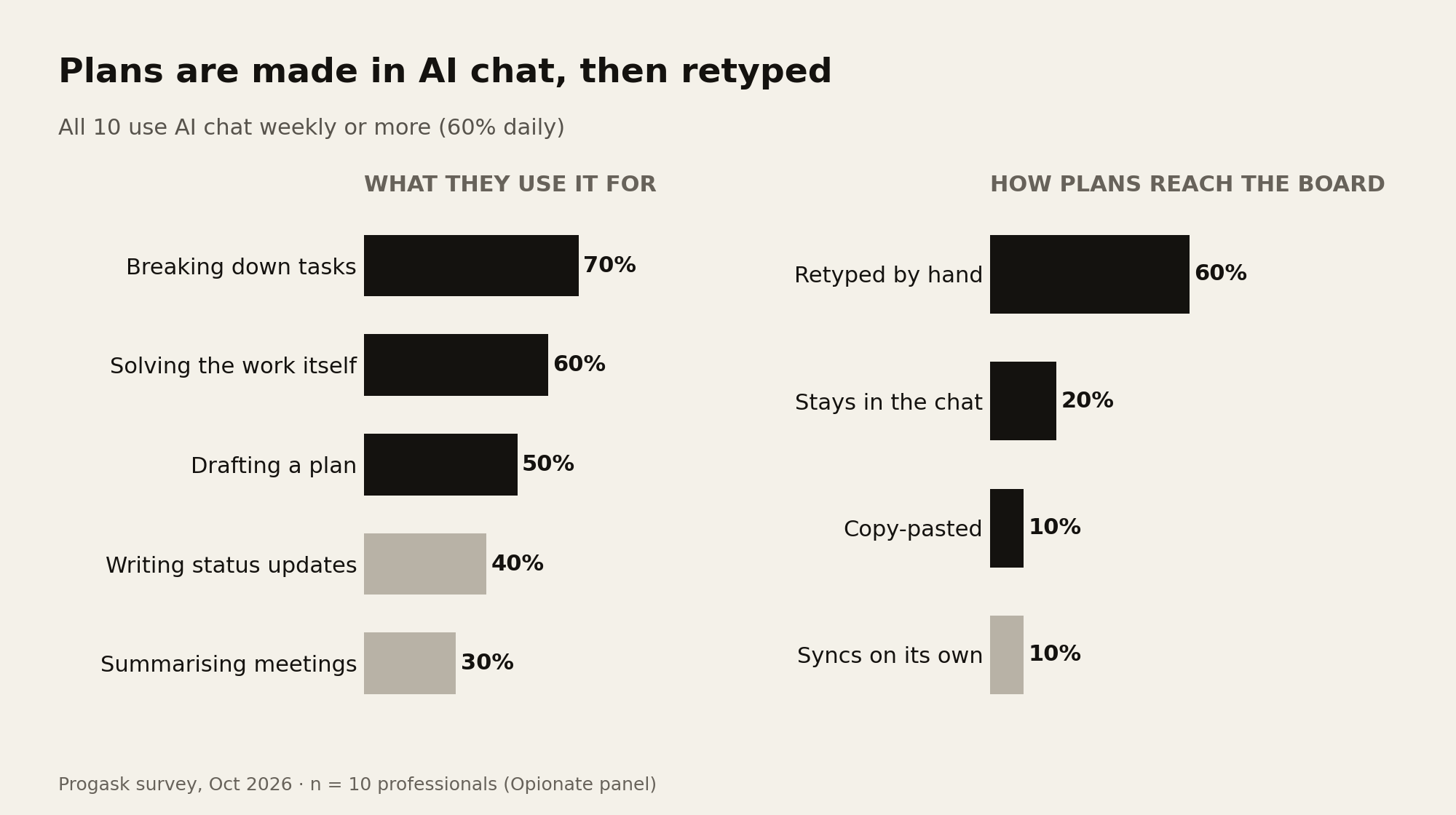
In our survey of 10 people who work with others, every single one uses an AI chat assistant such as ChatGPT, Claude or Gemini at least weekly, and 60% use one daily. That alone isn't surprising. What happens to the plan afterwards is.
AI is already the planning tool
The most common task-related uses were all about planning and doing the work:
- Breaking a task into steps: 70%
- Solving the actual problem inside the task: 60%
- Drafting a plan or timeline: 50%
- Writing status updates or reports: 40%
- Summarising meetings or threads: 30%
Notice the first three. The chat is where vague tasks become concrete steps, and where people think through how long things will take. In practice, it has become the planning room.
Then the plan hits a wall
We asked: when an AI chat helps you make a plan, how does that plan get into your task tool?
- 60% retype or summarise it by hand.
- 20% said it mostly stays in the chat.
- 10% copy and paste it in.
- 10% have it sync on its own, because their tool is already connected to their AI.
So for 90% of people, the plan only reaches the board if someone does the transfer by hand, and for a fifth it never arrives at all.
What gets lost in the transfer
Retyping is tedious, but the bigger cost is what doesn't survive it. A chat that produced a plan also holds the reasoning: why this order, what was ruled out, which step depends on another team, what's still undecided. When someone summarises it into five card titles, all of that stays behind in a chat history nobody will scroll back through.
And the 20% whose plans stay in the chat have a different problem: the plan exists, but nobody else can see it, and nothing will notice if it falls behind.
A lesson from building Progask
We saw this while building Progask. Progask has a Quick plan box: type your week in a few lines and it becomes tasks with dates. That works well for a list you already have in your head. But when a plan needs real thinking, a few words don't carry enough context. The same request in a long chat, where the person had already explained the goal, the constraints and the people involved, produces a plan that makes more sense.
The conclusion was simple. The planning should happen where the context already is, in the chat. The task tool's job is to take that plan seriously.
Closing the gap
Progask connects to AI chat assistants like Claude and ChatGPT through MCP, an open standard for linking AI assistants to other tools. When you finish planning in a chat, ask it to add the plan to Progask, and the tasks land on your board, each with its dates and a description. The chat adds tasks only when you ask, and it asks you for a date rather than inventing one. The way we describe it internally: the chats think, Progask commits.
If you're not ready for a new tool, you can still shrink the gap today. At the end of a planning chat, ask the AI to produce a short brief: the goal, decisions made, open questions and next steps. Paste that, not just the task list, wherever your team tracks work.
About the survey. In October 2026 we asked 10 people who work with at least two others how they manage tasks. Respondents came from a paid research panel (Opionate) and answered 17 questions, including a short story about the last task that slipped. Ten people is a small group, so read these numbers as early signals, not industry statistics. We plan to run a larger round.
Progask is free during the beta.
Start this week free